
How to manage your photo archive?
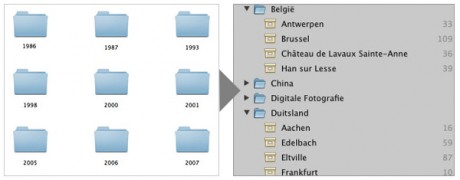
For the past ten years I used my digital cameras to take pictures. Each year I created a new folder and stored all my pictures in a sub folder, and named the folder from the import date. I had my pictures organized by year and a sub folder. When searching for a specific event or place it became a difficult job.
So I decided to add at least places or events in the sub folder names some years ago. The solution worked for quite some time but I still organized my files by year and imported date.
To make my long story short I defined the following method in organizing my photo archive:
The method
- Year folder — Create a top-level folder per year (e.g.
2010) - Event sub-folder — Name sub-folders by date and event:
2010-04-15 New York - Star ratings — Use star ratings in your photo application (Aperture, Lightroom) to flag your best shots
- Keywords/tags — Add descriptive keywords so you can find photos by subject later
- Regular backups — Keep at least two copies; one offsite
This approach has worked very well over the years and I can now quickly find any photo by browsing the folder structure or searching by keyword in Apple Aperture.